

“We’ll add OTA later.”
Four words that have cost Embedded Teams , collectively, more than any single technical decision we’ve encountered. More than a wrong MCU choice. More than a failed EMC test. More than a botched DFM review.
Here’s what happens. The team builds a proof of concept. It works. They move into EVT. The firmware is growing. The hardware is coming together. There’s pressure to get to DVT, to hit the certification window, to make the production timeline. OTA gets pushed to the backlog because right now, the device is right there on the bench. You can flash it with a cable. The urgency isn’t felt.
Then the first 500 units ship. A bug surfaces in the field. The connectivity stack drops packets under specific conditions that never showed up in the lab. And the team discovers that “adding OTA later” means redesigning the partition table, rewriting the bootloader integration, rearchitecting the firmware update flow, and hoping the flash memory they specced six months ago has enough room for a dual-image scheme they never planned for.
We’ve seen this pattern at least a dozen times. It’s why we now treat OTA architecture as a first-order design decision, on the same level as MCU selection, power budget, and wireless protocol choice.
This post is the guide we wish existed when we started. It’s not a tutorial on how to use a specific OTA tool. It’s the architectural decisions you need to make before you pick a tool, and the mistakes we’ve seen teams make at each decision point.
OTA Is Not a Feature. It’s a System Architecture Decision.
The fundamental misunderstanding is treating OTA as a feature to be added. It’s not. It’s a cross-cutting architectural concern that affects your memory map, your bootloader, your security model, your power budget, your test infrastructure, and your manufacturing flow.
When you decide how your device will be updated in the field, you are simultaneously deciding:
- How your flash memory is partitioned, and therefore how much flash you need
- What your bootloader does, and therefore what your trust model looks like
- How your firmware is structured, monolithic image vs. modular components
- What happens when an update fails, and therefore how much risk you carry per deployment
- How your CI/CD pipeline produces release artifacts, and therefore how your team ships firmware
Making these decisions at EVT means you have room to choose. Making them at PVT means you’re retrofitting. Making them after you’ve shipped means you’re paying for it in engineering time, field failures, and potentially a hardware revision.
Your Partition Strategy (And Why It’s the One Thing You Can’t Change Later)
The partition strategy is the foundation everything else is built on. Get it wrong and you’re locked in. Get it right and every subsequent OTA decision becomes easier.
There are three common approaches. The right one depends on your constraints.
A/B (Dual-Image) Partitioning
Two complete firmware slots. The device runs from one slot, downloads the update into the other, verifies it, and switches on reboot. If the new image fails to boot, the bootloader falls back to the previous slot.
This is the gold standard for reliability. It’s also the most expensive in terms of flash. You need at least twice the space of your firmware image, plus room for the bootloader and persistent data.
When to use it: When your device has sufficient flash and the cost of that flash is acceptable at your target BOM, and when the cost of a field brick is high. Industrial devices. Medical devices. Anything where a truck roll to recover a bricked unit costs more than the extra flash.
The mistake we see: Teams choose A/B because it’s “safe” but underestimate the flash requirement. They spec the MCU with just enough flash for two images today, then six months later the firmware has grown by 40% and there’s no room for the B slot anymore.
Our guidance: If you choose A/B, spec your flash for 2.5× your projected final firmware size, not your current firmware size. Firmware always grows. If you’re at EVT and your image is 256 KB, plan for 400 KB per slot minimum, plus bootloader plus persistent storage.
In-Place (Single-Slot) with Rollback
One firmware slot. The update is downloaded into a staging area, which could be external flash, an SD card, or a reserved region of internal flash, validated, then written over the active image. The old image is gone.
This uses less flash but the rollback story is weaker. Some implementations store a compressed copy of the old image; others rely on the staging area as the fallback. Either way, there is a window during the flash write where a power failure could leave the device in an inconsistent state.
When to use it: When flash is genuinely constrained and you’ve done the math. Low-cost consumer devices where the BOM pressure is real and the cost of a field failure is bounded (you can afford to replace a small number of bricked units).
The mistake we see: Teams choose single-slot to save cost but don’t invest in the failure recovery logic. They end up with a system that works fine when updates succeed, and bricks the device when they don’t. The savings on flash are eaten by field returns.
Component-Level (Modular) Updates
Instead of replacing the entire firmware image, you update individual components: the application, a library, a configuration block, a neural network model. Each component has its own version, its own partition, and its own update path.
This is the most flexible and the most complex. It reduces the download size, you’re sending a 20 KB library update instead of a 400 KB full image, and allows selective updates. But it introduces dependency management, compatibility verification, and a significantly more complex bootloader.
When to use it: When your device has a heterogeneous firmware stack (e.g., a Linux gateway managing downstream MCU nodes), or when bandwidth is extremely constrained (satellite, LoRa, where typical data rates range from 250 bps to 50 kbps and every byte counts), or when update frequency is high and you need to minimise downtime.
The mistake we see: Teams try to be clever with modular updates on simple MCU-based devices. The complexity of managing component versions, dependencies, and compatibility matrices outweighs the bandwidth savings. For most single-MCU devices with Wi-Fi or LTE-M connectivity, A/B partitioning with full-image updates is simpler, safer, and cheaper in total engineering cost.
Your Bootloader Strategy (And Why Your Trust Model Starts Here)
The bootloader is the root of trust in your update system. It’s the first code that runs. It decides what image to boot. It validates signatures. It handles rollback. And it’s the one piece of code you almost certainly cannot update in the field without significant risk.
This means two things. First, your bootloader needs to be correct and robust before you ship, it doesn’t get a second chance. Second, your bootloader is a permanent architectural decision that constrains what your OTA system can do for the lifetime of the product.
Use an Established Bootloader
MCUboot (for Zephyr/RTOS devices) and U-Boot (for embedded Linux) are the two industry-standard choices. Your silicon vendor’s secure bootloader is also a valid option if it’s well-documented. Rolling your own bootloader in 2026 is almost never the right decision. The security surface area alone makes it unjustifiable for most teams.
The mistake we see: Teams either roll their own and miss edge cases that an established bootloader handles, or they use a vendor’s reference bootloader without understanding its rollback behaviour. We’ve seen devices that would “roll back” to a known-good image on update failure, except the rollback logic had never been tested with an actual bad image, and in practice it just rebooted into the same broken state in an infinite loop.
Design Your Boot Counter Logic
The most common rollback mechanism is a boot counter: the bootloader increments a counter on every boot attempt after an update. If the application successfully starts and confirms health, it resets the counter. If the counter exceeds a threshold, the bootloader assumes the new image is bad and reverts to the previous slot.
This sounds simple. It’s not.
- What counts as “healthy”? Just reaching main()? Connecting to the cloud? Successfully sending a heartbeat? The stricter your health check, the more robust your rollback, but also the more likely you trigger a false rollback on a slow cellular connection.
- What’s the threshold? One failed boot? Three? Five? Too low and you get false rollbacks. Too high and you waste battery on repeated failed boot attempts.
- What if the previous image is also broken? If you shipped a bad update and then shipped a second bad update, your “known good” slot might also be bad. Your bootloader needs a strategy for this: either a factory-reset image in a protected partition, or an emergency recovery mode.
Our guidance: Define your health check criteria during EVT, not after you’ve already shipped. Write the health confirmation into your application code explicitly. Test the rollback path as rigorously as you test the update path.
Your Security Model (And What the EU Cyber Resilience Act Means for Your Update Pipeline)
If you’re shipping a connected device in the EU, the Cyber Resilience Act is not hypothetical. Reporting obligations for actively exploited vulnerabilities take effect from September 2026, with full CRA compliance required by December 2027. You need to demonstrate that your device can receive security updates, that those updates are authenticated, and that you have a documented process for managing vulnerabilities across the product lifecycle.
OTA security has three layers, and you need all of them.
Firmware Signing
Every firmware image must be cryptographically signed before deployment. The device must verify that signature before applying the update. This prevents an attacker from pushing a malicious image to your fleet.
Use ECDSA (P-256 or P-384) or Ed25519 for signing. Ed25519 is increasingly preferred in embedded contexts for its speed, smaller signature size, and resistance to side-channel attacks. RSA works, but the larger key sizes add meaningful overhead on constrained MCUs. Store your signing keys in a hardware security module (HSM), not in a CI/CD config file or environment variable.
The mistake we see: Teams implement signing but hard-code the public key into the bootloader with no rotation mechanism. Two years later, they need to rotate the key, because an employee with access left, or because key hygiene demands it, and discover they can’t. The bootloader can’t be updated in the field.
Our guidance: Store a small set of trusted public keys in a protected partition. Include a mechanism for key rotation controlled by your root key. Plan for this at EVT.
Transport Security
The update payload must be encrypted in transit. TLS 1.3 should be your default between the device and your update server. TLS 1.2 is acceptable as a legacy fallback where constrained devices genuinely cannot support 1.3, but it should not be your target. TLS 1.3 offers measurably better performance on constrained networks (fewer round trips in the handshake) and eliminates the cipher suites that have caused the most real-world TLS vulnerabilities.
The mistake we see: TLS certificates expire. Teams provision devices with certificates that have a one- or two-year validity. Eighteen months later, devices silently fail to connect to the update server. No errors in the application log, just a TLS handshake failure that nobody is monitoring.
Our guidance: Use certificates with validity periods that match your product’s expected deployment lifetime, or implement automated certificate rotation via ACME or EST. Either way, monitor TLS handshake failures in your fleet telemetry. A spike in handshake failures is your early warning.
Anti-Rollback
Prevent an attacker from downgrading a device to an older firmware version with known vulnerabilities. This typically means storing a monotonic counter in a protected area, an OTP fuse, a secure element, or a protected flash region, that increments with each update. The bootloader refuses to boot any image with a version number lower than the counter value.
Your Failure Budget (And Why “It Worked in the Lab” Is the Wrong Standard)
Every OTA system will experience failures in the field. The question is not “will devices fail to update?”, it’s “how many failures can we tolerate, and what happens to the devices that fail?”
Define Your Failure Budget
For a fleet of 10,000 devices, what’s your acceptable failure rate per update? 0.1%? That’s 10 devices per update that might need manual recovery. If each recovery costs you €200, a truck roll, a support call, a replacement unit, you’re spending €2,000 per update cycle on failures alone.
This calculation should inform your engineering investment in OTA reliability. If your failure cost is low (cheap consumer device, easy self-recovery), you can tolerate a simpler OTA system. If your failure cost is high (remote industrial deployment, safety-critical application), your OTA system needs to be proportionally more robust.
Simulate Real Failures
The failure modes that kill devices in the field are not the ones you test in the lab. Here’s what you need to simulate:
- Power loss during flash write. Literally pull the power cable during an update. Does the bootloader recover? Does the watchdog kick in? Does the device come back on the previous image, or does it sit in a boot loop?
- Partial download. Kill the network connection at 60% download. Does the device resume? Does it restart from zero? Does it corrupt the staging area?
- Incompatible image. Push a firmware image built for hardware revision B to a device running revision A. Does it reject the image, or does it install and crash?
- Clock drift. If your update server uses time-based tokens or certificates, what happens when a device’s RTC has drifted by 3 hours? By 3 months?
Our guidance: Build a failure-injection test rig during DVT. Automate it. Run it on every release candidate. If your HIL test bench includes an OTA test path, you’re in good shape. If it doesn’t, add one.
Your Fleet Observability (And Why Pushing an Update Is Only Half the Job)
Pushing firmware to a device is not the end of the update process. It’s the middle. You need to know: did the device receive the update? Did it install? Did it boot successfully? Is it healthy post-update?
Minimum Viable Telemetry for OTA
Your devices should report, at minimum:
- Current firmware version (on every heartbeat or telemetry message)
- Update attempt status (started / downloaded / verified / installed / booted / confirmed healthy, or failed at which stage)
- Rollback events (the device reverted to a previous image, this is a red flag you need to see immediately)
- Reboot reason (firmware update, watchdog timeout, power loss, user-initiated, you need to distinguish between these)
This telemetry is also non-negotiable for CRA compliance. You must be able to demonstrate, per device, that security updates have been applied.
Staged Rollouts
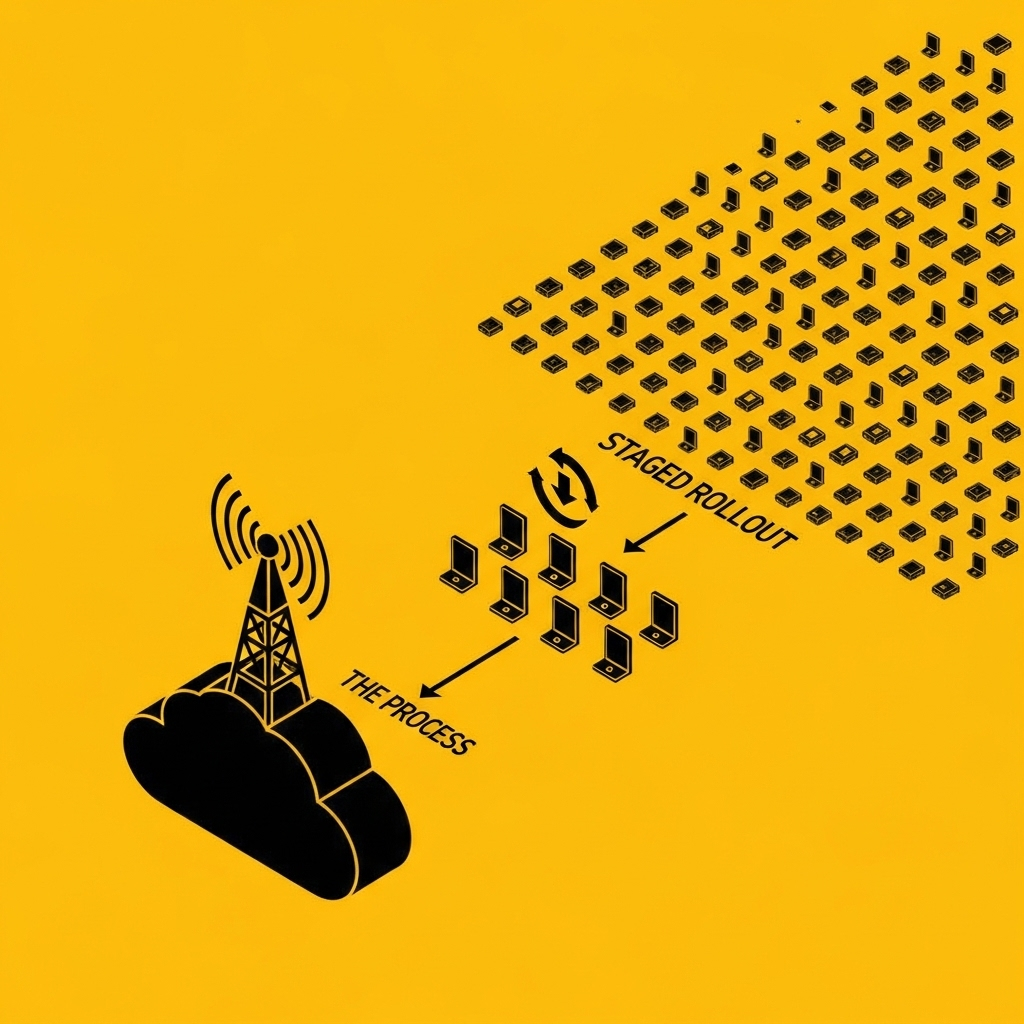
Never push an update to your entire fleet simultaneously. Roll out to 1% of devices. Wait 24–48 hours. Check telemetry. If failure rates are within budget, expand to 10%. Then 50%. Then 100%.
This is trivially easy to say and surprisingly hard to implement well. You need your backend to support cohort targeting, and your telemetry pipeline needs to surface per-cohort health metrics in near-real-time.
The mistake we see: Teams build the “push update to all devices” path first and treat staged rollouts as a nice-to-have. Then they ship a bad update to the entire fleet, discover the problem 6 hours later when support tickets pile up, and wish they’d had a way to stop the rollout after the first 50 devices.
The Timeline: When Each Decision Needs to Be Made
| Stage | What Should Be Decided | What Gets Built |
|---|---|---|
| PoC | Will this device need OTA? (Almost always yes.) What partition strategy fits the constraints? | Nothing yet, but the MCU and flash should be specced with OTA in mind. |
| EVT | Partition layout finalised. Bootloader selected and integrated. Signing/verification flow designed. Health check criteria defined. | First working OTA path, can update the device from a test server. Rollback tested manually. |
| DVT | Security model fully implemented (signing, TLS 1.3, anti-rollback). Failure injection testing built into the HIL rig. Staged rollout backend design. | OTA system tested under failure conditions. Fleet telemetry pipeline operational on test devices. |
| PVT | Manufacturing provisioning (keys, certificates, initial firmware) integrated into the production line. Full fleet management backend operational. | OTA exercised on PVT units. Staged rollout tested with real cohorts. |
| MP | Nothing new, everything should be validated by now. | First real firmware update pushed to production devices. |
If you’re past EVT and you haven’t made these decisions, you’re not behind schedule, you’re accumulating architectural debt that compounds with every unit you ship.
The Real Cost of “We’ll Add OTA Later”
We worked with a client who shipped 2,000 industrial sensor nodes without OTA capability. The firmware worked. The hardware worked. Six months later, a connectivity protocol update from their cellular provider required a firmware change on every device.
The cost of manually recalling and reflashing 2,000 devices, including logistics, technician time, and production downtime at client sites, exceeded €180,000.
The cost of designing OTA into the firmware from EVT would have been approximately 3–4 weeks of engineering time and €2–3 per unit in additional flash. Call it €20,000 total, including the backend infrastructure.
The math isn’t subtle.
Where to Start
If you’re at the beginning of a new product programme and you want to get OTA right from the start, here’s the minimum viable checklist:
- Spec your flash for OTA. 2.5× your projected firmware size for A/B, plus bootloader, plus persistent data. If in doubt, go one flash size up.
- Choose an established bootloader. MCUboot for Zephyr/RTOS. U-Boot for Linux. Don’t roll your own.
- Define your health check. What does “successful boot” mean? Write it down. Put it in the firmware spec.
- Implement signing from day one. Even if your first updates are local. Use ECDSA P-256/P-384 or Ed25519. Store keys in an HSM. The signing infrastructure should be in your CI pipeline before EVT hardware arrives.
- Target TLS 1.3 for transport. Don’t settle for TLS 1.2 unless a constrained device genuinely leaves you no choice.
- Build a failure test path. Power-kill during update. Partial download. Wrong image. Test these before DVT.
- Plan your fleet telemetry. You need to know what firmware version is running on every device. This is non-negotiable for CRA compliance from September 2026.
If you’re past EVT and you’re reading this with a sinking feeling: it’s recoverable. But the cost of retrofitting goes up with every stage you’ve passed. The best time to architect for OTA was at the start of your programme. The second-best time is now.
At Better Devices, we design OTA update architectures as part of every embedded device engagement, from partition planning at PoC through fleet management at MP. If you’re navigating these decisions on a current programme, we should talk.
Join other engineering leaders receiving our monthly insights, or reach out to discuss how Better Devices can help your team ship faster.